Adding AI Image Generation to My Hermes Social Media Pipeline
My social media pipeline already generates posts from blog archives. Now it generates images too — same tool, same key, $0.01 per image.
In my last pos, I described how I pointed Hermes Agent at my blog directory and it started generating social media posts — LinkedIn posts, tweets, threads — all from the archives. That pipeline produces text. But social media needs images. Featured images for posts. Diagrams for framework-heavy content. Infographics.
So I set up image generation inside Hermes. Now one prompt produces both the post and the image. No external tools. No copy-pasting prompts into a separate app. Here's what I did.
# What Hermes supports out of the box
Hermes ships with multiple image generation backends. No plugins to install. They auto-load.
| Model | Provider | Cost/image |
|---|---|---|
| Flux 2 Klein 9B | FAL.ai | $0.006 |
| Gemini 3.1 Flash | OpenRouter | $0.01 |
| Gemini 3 Pro | OpenRouter | $0.03 |
| GPT Image 2 | OpenRouter | $0.06 |
| DALL-E 3 | OpenAI | $0.04–0.08 |
| Various via gateway | Nous Portal | Included in plan |
| DALL-E via Codex | Codex CLI | Included in plan |
| GenerateImage tool | Cursor Pro | Included in plan |
FAL gives you Flux models — the current leader in photorealism and prompt adherence. But it means creating a separate account and managing another API key.
I went with OpenRouter. Since I already use OpenRouter for text models, I can use the same key. Same credit pool. No new billing. No new account. That's the path of least resistance.
# Why Gemini 3.1 Flash
Three reasons:
-
Zero new accounts. I already had OpenRouter configured. Two lines in
config.yamland it worked. -
$0.01 per image. A thousand images for $10. For experimentation, that's perfect. Flash is good enough for diagrams and social media images. The text rendering isn't as reliable as Pro, but at 3x cheaper, I use Flash for drafts and switch to Pro for anything I publish.
-
The whole workflow runs inside Hermes. I describe what I want in Slack. Hermes generates the image. I review it. Done. No context switching.
# The exact config
Two changes to ~/.hermes/config.yaml:
1. Add the image_gen section:
image_gen:
  provider: openrouter
  openrouter:
    model: google/gemini-3.1-flash-image
2. Enable the toolset for your platform:
platform_toolsets:
  slack:
    - hermes-slack
    - image_gen     # ← add this
3. Restart Hermes:
Since I run Hermes on Opalstack with systemd (as I described here), I restart with:
systemctl restart container-hermes.service
If you run Hermes locally with the CLI, hermes gateway restart does the same thing.
After restart, Hermes has an image_generate tool. I can call it directly from Slack, or load the baoyu-infographic skill for structured infographics (21 layouts × 21 styles).
# My first image: the WINS flywheel
I had a blog post about building a personal flywheel — three components (Insights, Network, Wealth) with Self-Control as the axle. I already had an Excalidraw sketch. I asked Hermes to turn it into a polished diagram.
The prompt was straightforward — describe the layout, colors, text, and style. Gemini Flash generated a clean circular diagram with blue, purple, orange, and gold nodes, curved arrows, and the exact text I specified.
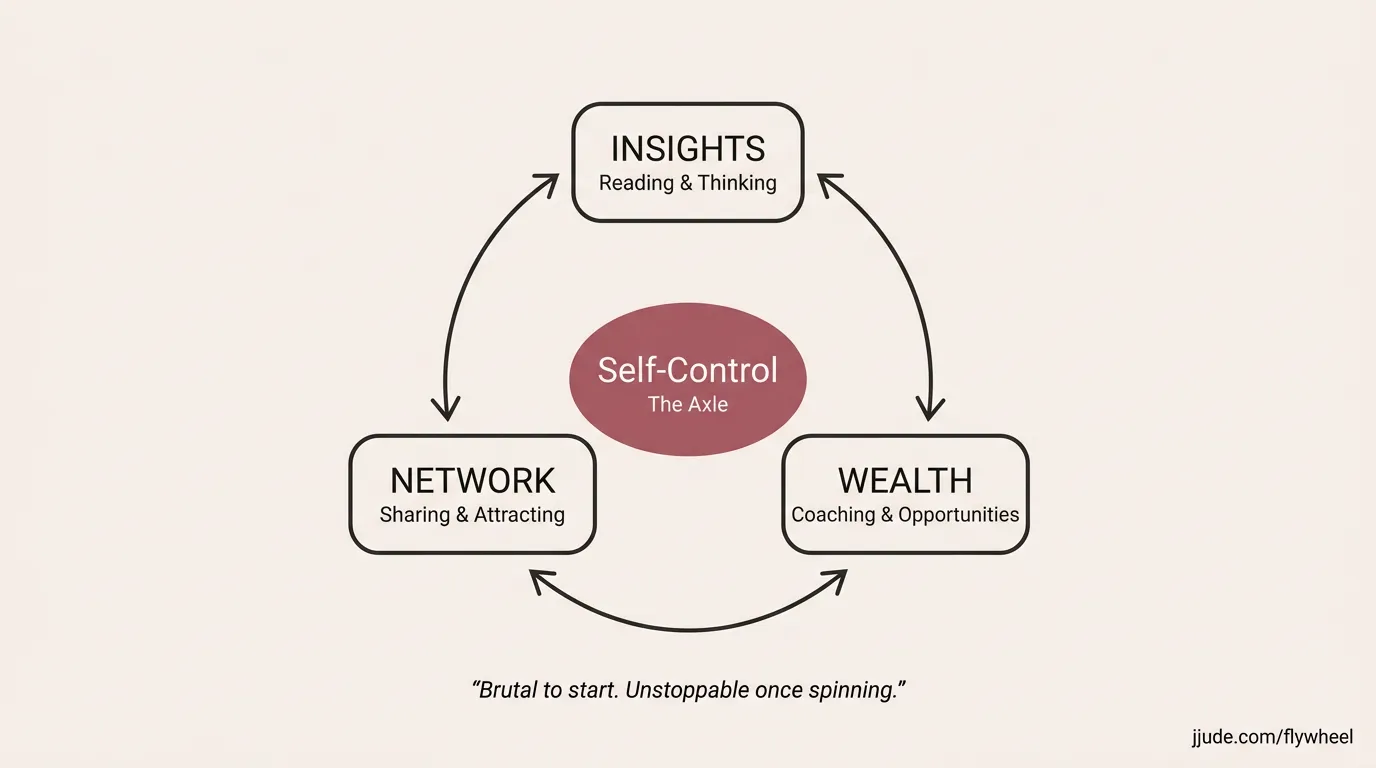
One prompt. One image. $0.01. And I saved the prompt alongside the image so I can regenerate or iterate later.
# How this fits the pipeline
Remember the social media pipeline from the earlier post? Blog post → 3 formats (post, tweet, thread) → review → publish.
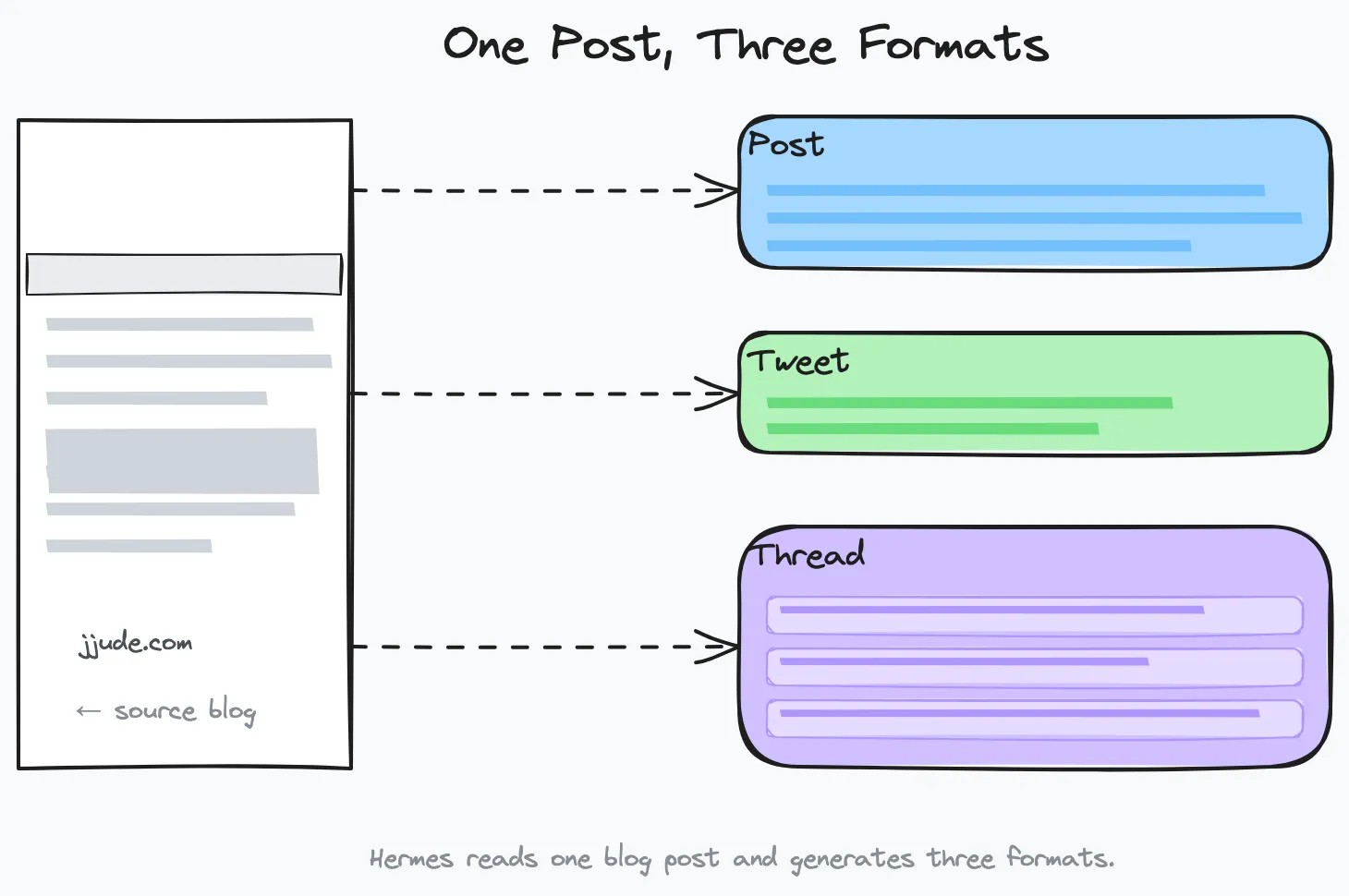
That pipeline now has an image step:
Blog post → text formats + image → review → publish.
The image is generated at the same time as the text. Same tool. Same credit pool. Same session. When Hermes reads a blog post to generate social media content, it now generates the featured image in the same pass.
For process-heavy posts, I make the image generic — it represents the pipeline or the method, not the specific example used in the post. The image sells the method, not the instance.
# What I store alongside every image
- The generated PNG (versioned:
flywheel-v1.png) - The exact prompt I used (
flywheel-prompt.md) - A style guide with color palettes and conventions
This means I can regenerate with a different model later, tweak the prompt without losing the original, or hand the prompt to a designer. The prompt is the source of truth — the image is just a render.
# Would I switch to FAL?
FAL gives you Flux — the best image quality right now. Flux 2 Klein 9B at $0.006 per image, and it renders text better than anything else. If I were starting from scratch with no existing API keys, I'd probably pick FAL.
But I already had OpenRouter configured. Same key. Same credit pool. The setup was two lines in config.yaml and a restart. The images started flowing before I finished my coffee.
If image quality becomes the bottleneck — if Gemini Flash consistently renders garbled text on diagrams — I'll create a FAL account and switch. But for now, the convenience of using what's already there beats the marginal quality gain.
# What's next: structured infographics
Hermes has a ported version of baoyu-infographic — 21 layouts (bento grid, funnel, iceberg, venn diagram, and more) and 21 styles (chalkboard, origami, cyberpunk, claymation, etc.). I'll use that next for richer visual content. The LLM writes the structured prompt, the image model renders it. Same pipeline.
This post was drafted by Hermes and edited by me. The flywheel image it describes was generated inside Hermes using Google Gemini 3.1 Flash via OpenRouter.
Under: #aieconomy , #hermes , #tools